

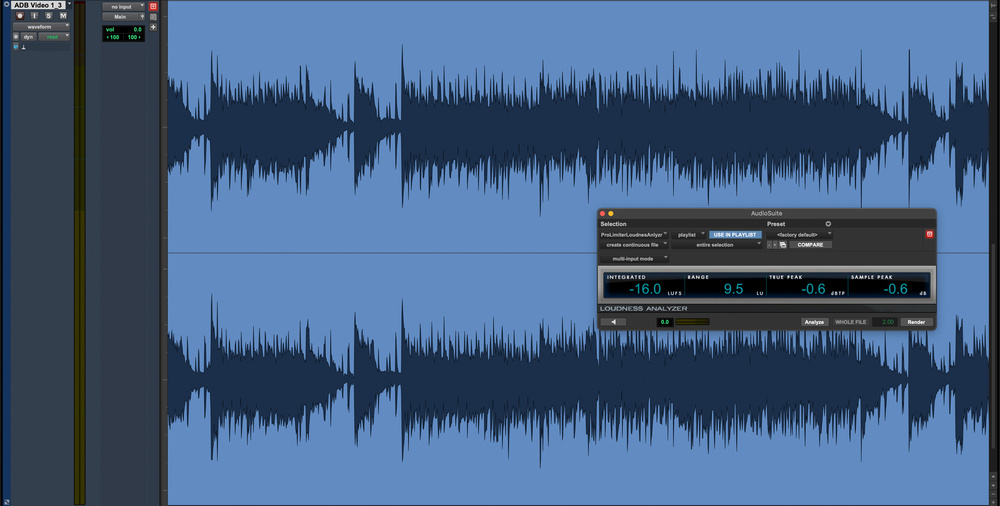
 AudioSuite may be the oldest means of processing audio in Pro Tools, but it still has its uses!
ARA or AAX? Real‑time or offline? We explore the many ways to process audio in Pro Tools.
When we talk about processing audio in a DAW, we usually mean inserting a real‑time plug‑in on a track, but Pro Tools offers other ways to modify audio signals. The results might be identical, yet the methods differ in terms of commitment, flexibility and context. Pro Tools supports four distinct approaches:
- AudioSuite
- Clip Effects
- ARA (Audio Random Access)
- Real‑time AAX plug‑ins
Each affects how reversible your decisions are and how the processing interacts with the material on your timeline. This article explores how these methods differ, why you might choose one over another, and the practical consequences of those choices within a production.
I think of these four processing options as points on a continuum, running from AudioSuite through Clip Effects and ARA to real‑time AAX. At the AudioSuite end, processing is fully offline and committed; at the AAX end, everything is live and easily adjustable. Each method solves different problems and is appropriate in different situations. Workflow issues often arise not from the tools themselves, but from choosing an approach that doesn’t match the task, so understanding where each sits on this spectrum is helpful.
How Suite It Is
AudioSuite is the least flexible of Pro Tools’ processing options, and also the oldest. Before real‑time plug‑ins existed, offline AudioSuite processing was the only way to process audio in Pro Tools. But even in 2026 it’s far from a legacy feature. It still offers workflow possibilities unavailable anywhere else.
Most AAX plug‑ins have an AudioSuite counterpart, and some processes, Reverse being the obvious example, can only exist offline. Because AudioSuite works on entire clips rather than on the playback stream, it’s ideal for tasks that rely on full‑clip analysis, such as normalising or loudness measurement. It’s also extremely efficient for batch operations, like getting a set of files to a consistent level before bringing them into a session.
AudioSuite renders its results to a new file, which can be an advantage or a disadvantage depending on the situation. If you know exactly what you want to do and don’t anticipate changing it, it’s ideal. If you’re applying a one‑off spot effect, say, AudioSuite is often quicker and cleaner than creating a dedicated track and instantiating a real‑time plug‑in for a single event.
Historically, the rendered nature of AudioSuite also eliminated processing overhead. Modern computers make this less critical than it once was, but the workflow remains valuable because it promotes clear decision‑making while still allowing straightforward reversion via playlists or prior saves.
AudioSuite isn’t outdated. It simply occupies a specific role. And before Clip Effects or ARA existed, there was a wide gap between fully offline AudioSuite and fully real‑time AAX. The next sections look at what now bridges that gap.
Clip...
You are reading one of the locked Subscribers-only articles from our latest 5 issues.
You've read 30% of this article for FREE, so to continue reading...
- ✅ Log in - if you have a Digital Subscription you bought from SoundOnSound.com
- ⬇️ Buy & Download this Single Article in PDF format £0.83 GBP$1.49 USD
For less than the price of a coffee, buy now and immediately download to your computer, tablet or mobile. - ⬇️ ⬇️ ⬇️ Buy & Download the FULL ISSUE PDF
Our 'full SOS magazine' for smartphone/tablet/computer. More info... - 📲 Buy a DIGITAL subscription (or 📖 📲 Print + Digital sub)
Instantly unlock ALL Premium web articles! We often release online-only content.
Visit our ShopStore.